Note 01
What we tried
The setup has three layers. First, a sync configuration: a .syncrc file in this repository declares the watch paths — DESIGN.md, app, components, and content — and the targets, OpenPencil and Figma. The agentic-designer scaffold reads that config, watches the paths with chokidar, and rebuilds the canvas payload whenever a Markdown, TSX, or CSS file changes. Second, a builder script turns the repository into a machine-readable design-system inventory: token architecture across primitive, semantic, component, pattern, and page layers; the foundations from DESIGN.md; the shadcn primitives currently in components/ui (Button, Badge, Card, Input, Label, Separator); and every custom site, card, article, and page-template component. Third, a capture script runs the Next.js app and takes full-length desktop snapshots of eleven key pages, so the canvas shows the real rendered site, not an idealised redraw.
OpenPencil is the target because its design file is file-backed and repo-resident: the project lives at designs/agenticdesign-school.fig and the CLI plus MCP server are pinned as dev dependencies, so the same agent that edits components can rebuild the canvas. The whole loop runs from npm scripts.
# rebuild canvas + payload on every watched change
npm run agentic:sync

# one-shot rebuild, and the pixel-snapshot refresh
npm run agentic:canvas:capture
npm run agentic:sync:once

# current sync state
npm run agentic:sync:status
Note 02
What changed
The canvas stopped being a separate artifact to maintain. Before this experiment, any visual review surface for the site was a manual export that drifted within a week. Now the OpenPencil project is a build output: change a token in globals.css or add a component, and the boards regenerate from the same files the site is built from. The inventory JSON turned out to be the most useful piece — it is the contract between the code and any canvas, so the same payload now feeds both the OpenPencil build and the Figma payload covered in the companion note.
The honest caveats: the file-backed CLI path works reliably, but the OpenPencil HTTP MCP bridge still reports that the desktop app is not connected, so live canvas-to-agent round trips are not closed yet — this is one-way sync from code to canvas, not the full loop the connected-canvases article describes. And full-length page snapshots are heavy; captures are the slowest step and only refresh when explicitly requested.
- One-way sync (code to canvas) is solved and cheap to keep running.
- The design-system inventory JSON is the reusable contract; canvases are just renderers of it.
- The agent-writes-canvas direction still depends on the desktop MCP bridge connecting.
Note 03
The second pass: rebuilding the canvas properly
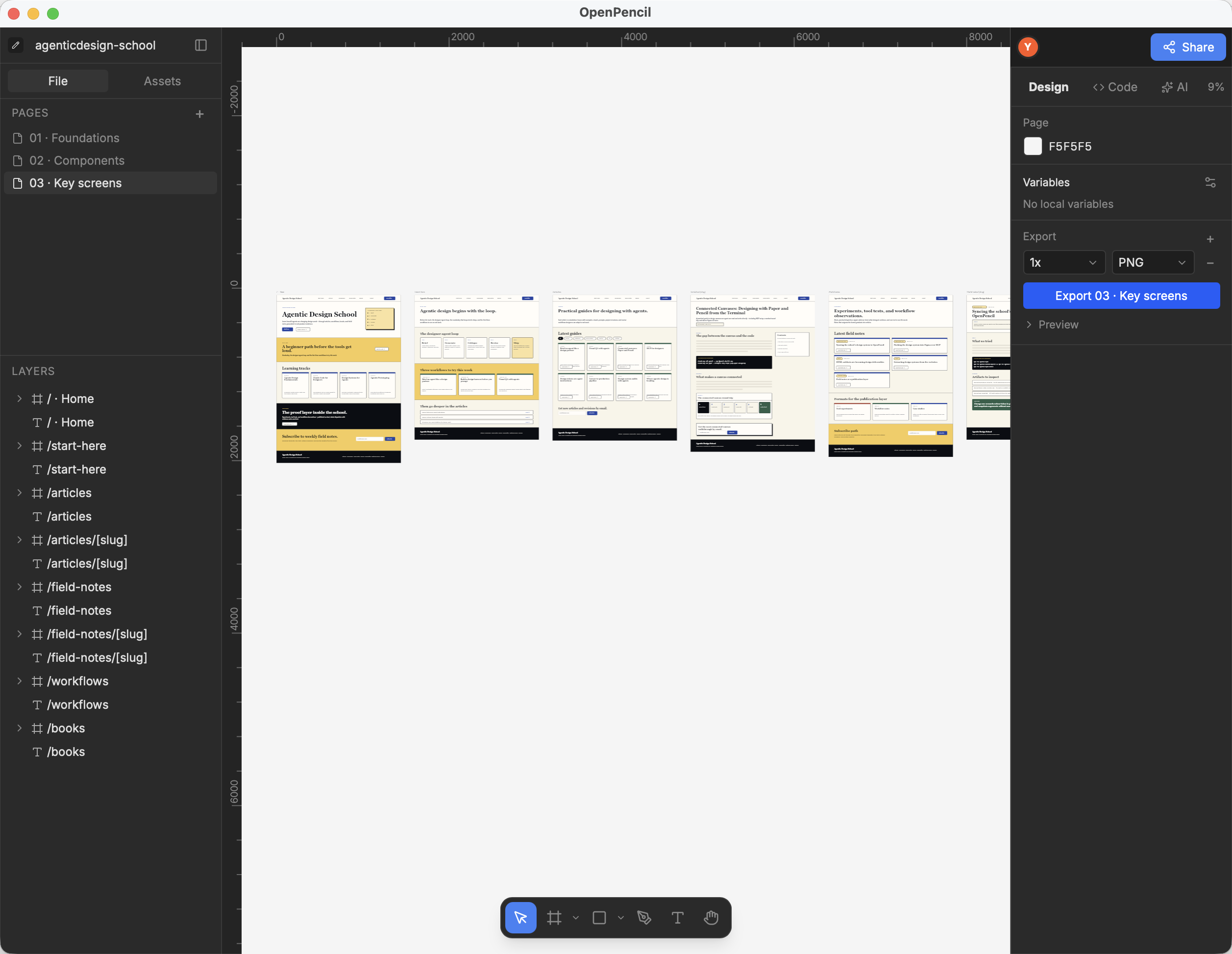
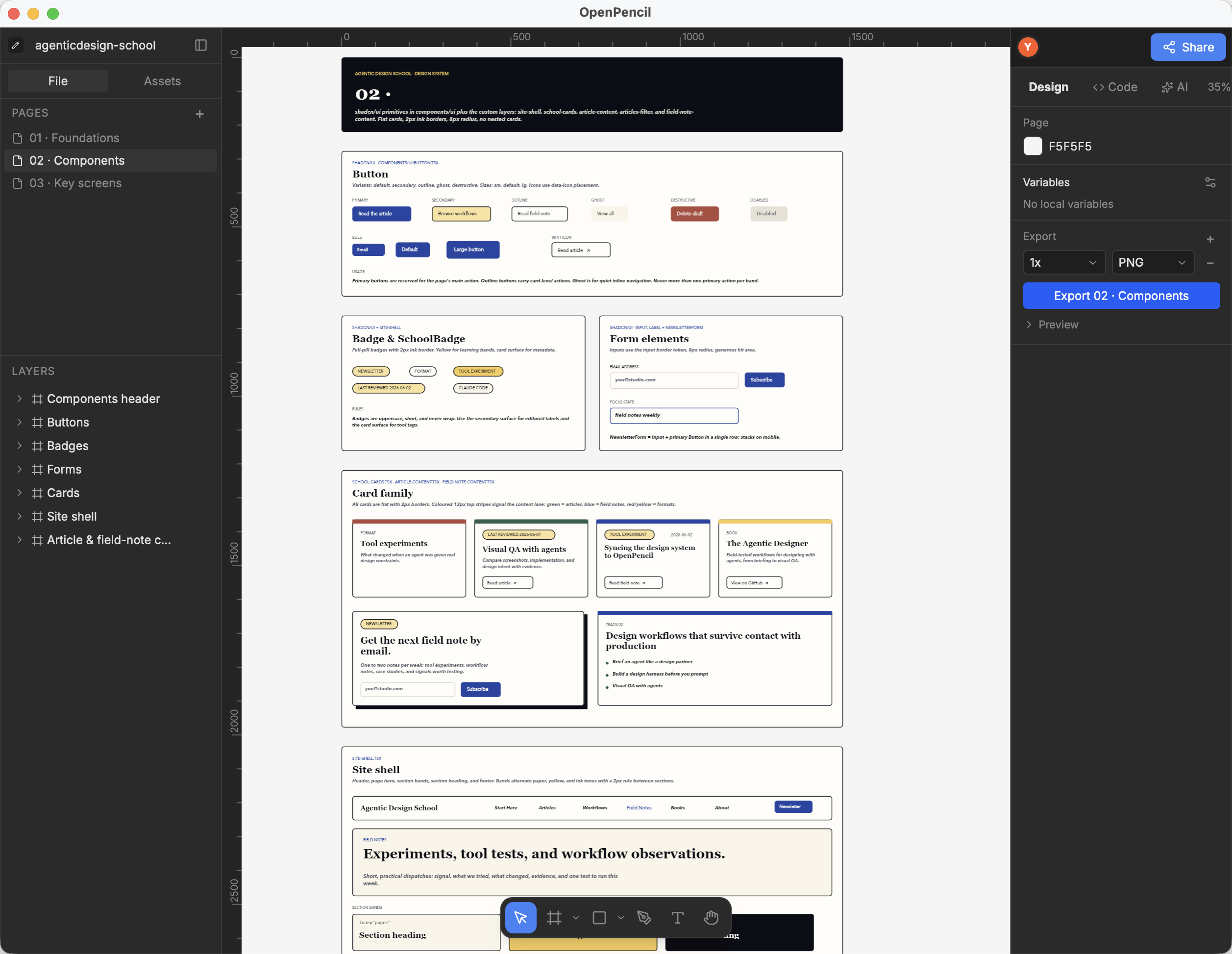
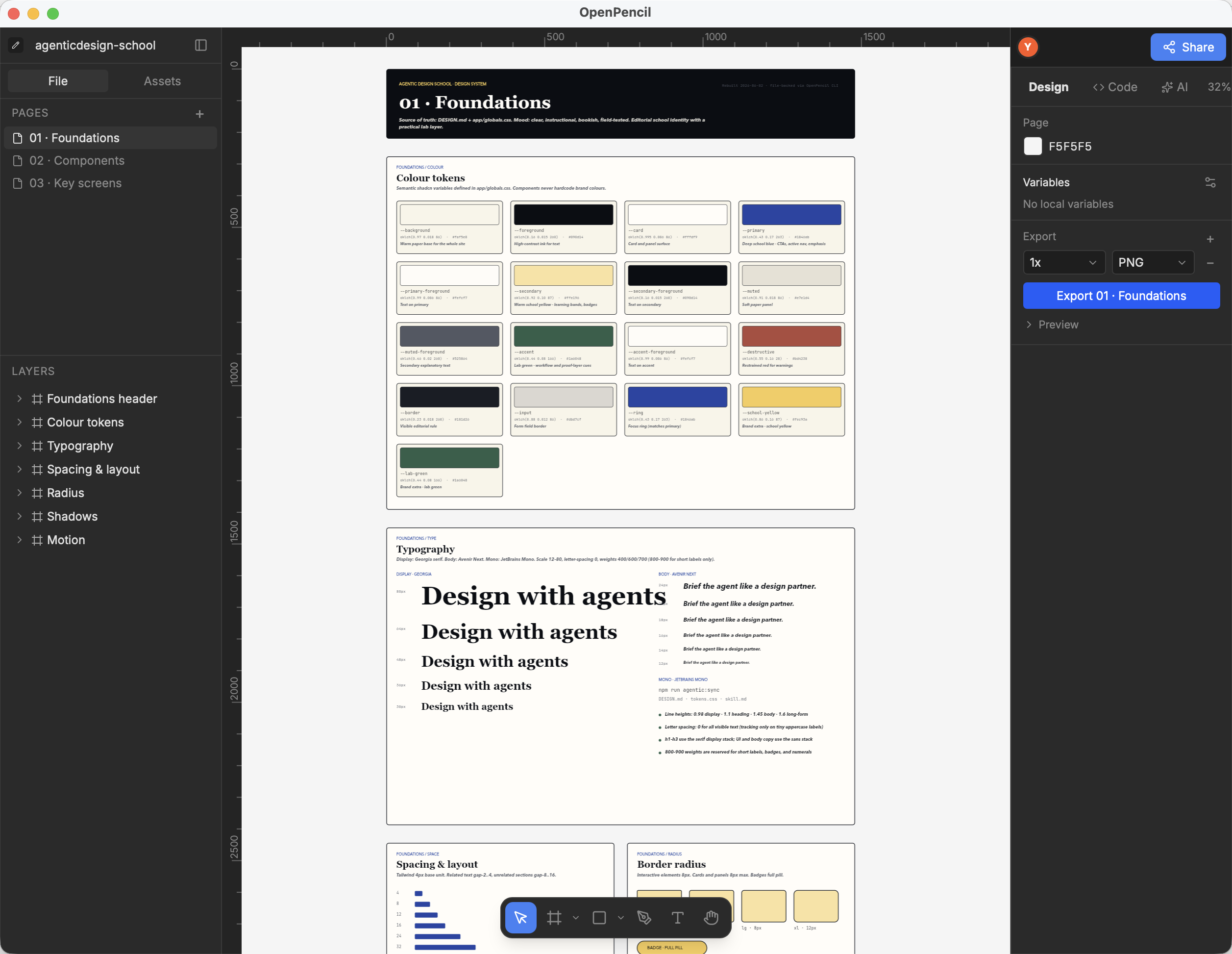
The first generated canvas proved the pipeline but not the quality bar: one page, more than three thousand auto-generated nodes, and every text node set in Inter rather than the brand's Georgia and Avenir Next. The second pass replaced it with a structured document built file-backed through the OpenPencil CLI: a Foundations page (colour tokens, type scale, spacing, radius, shadows, motion), a Components page (shadcn primitives plus the site-shell, card, article, and field-note components), and a Key screens page with native frames for the eight core routes — home, start-here, articles index and detail, field-notes index and detail, workflows, and books.
The build lives in designs/canvas-rebuild as plain JavaScript run against the document with the CLI's eval command, so the canvas remains a build output rather than a hand-maintained artifact. Two practical findings from the rebuild: node IDs are assigned per session, so all pages must be built in a single eval pass or later writes silently collide with earlier ones; and the CLI renderer only bundles Inter, so layout is verified locally with a font-remapped copy while the brand serif resolves correctly once the file is opened in the OpenPencil app on a machine that has Georgia installed. The screenshots below are the rebuilt document open in OpenPencil.
Note 04
Why this matters for designers
If your design system already lives in code, the canvas does not have to be where the truth is — it can be where the review happens. The pattern here generalises: declare watch paths, build a machine-readable inventory, render it to whatever canvas your team reviews in. The canvas becomes disposable and regenerable, which is exactly what you want when an agent is making many small changes to the code every day.
Evidence
Artifacts to inspect
- 01designs/agenticdesign-school.fig — the file-backed OpenPencil project, now structured as Foundations, Components, and Key screens pages
- 02designs/canvas-rebuild/ — the build scripts that regenerate those three pages through the OpenPencil CLI
- 03designs/design-system-inventory.json — the machine-readable inventory the canvas boards are built from
- 04designs/page-snapshots/ — full-length desktop captures of eleven key pages from the running Next.js app
- 05scripts/sync-design-canvases.mjs and scripts/build-openpencil-canvas.mjs — the watch and build entry points
Next test
Run npm run agentic:sync, change one semantic color token in app/globals.css, and verify the OpenPencil token board and the affected page snapshots regenerate without any manual canvas edits.
Sources
Sources & further reading
- OpenPencil on GitHub
The open-source, file-backed design canvas used as the sync target, with CLI and MCP packages.
- Connected Canvases: Designing with Paper and Pencil from the Terminal
The long-form article on canvas-and-code round trips that this experiment partially closes.
- Design as Code: Diffable Design Files
Why repo-resident, machine-readable design artifacts are the precondition for sync pipelines like this one.


