Section 01
Your team will run more than one agent
Procurement fantasies die in Slack. One designer lives in Cursor because the editor loop is fast. Another swears by Claude Code for long refactors. A contractor shows up with Codex. A campus lab installs Antigravity CLI. Gemini CLI remains for enterprise Code Assist and paid API keys. Mandating a single binary usually creates shadow IT, not alignment.
Multi-CLI literacy is the alternative: teach the portable layer so people can move between tools without reinventing the harness. Instruction files, skills, MCP servers, permission modes, and verification commands matter more than muscle memory for any one chat UI.
This note is deliberately short. Platform comparison and pricing live in dedicated articles. Here the job is operator fluency for designers who write or review UI with agents.
Section 02
The portable stack
Four layers travel surprisingly well. Project instructions (AGENTS.md and friends) tell every agent the stack and the non-negotiables. Skills (SKILL.md packages) encode procedures on demand. MCP connects browsers, Figma, component registries, and other tools through a shared protocol shape. Gates — verify, audit, a11y, visual eval — are npm scripts that do not care which CLI invoked them.
Vendor shells differ: slash commands, permission prompts, how skills are discovered, how MCP is configured. Learn those as adapters. Do not put irreplaceable truth only inside a vendor-specific settings panel.
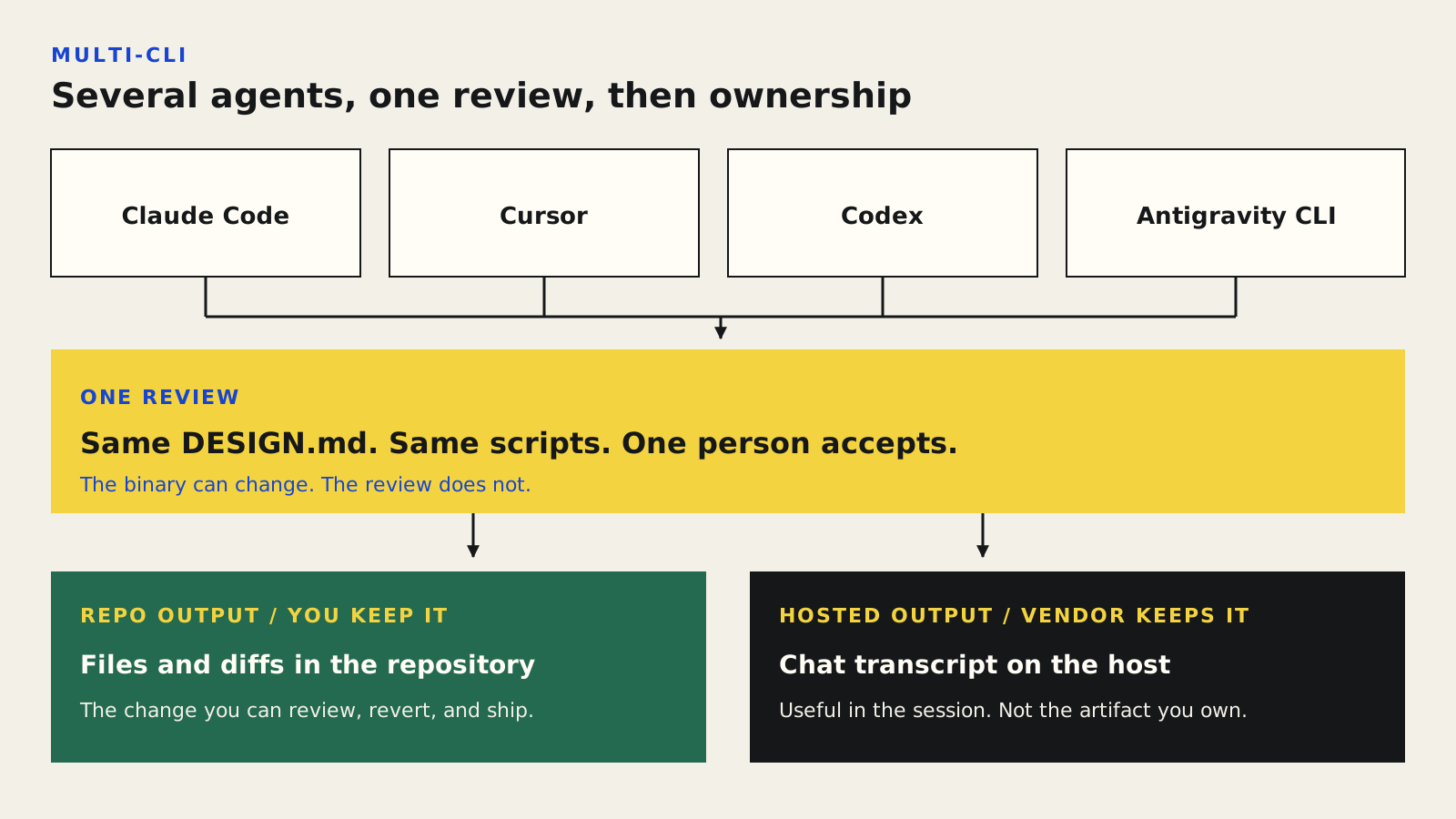
Claude Code, Cursor, Codex, and Antigravity CLI can all do the work. One review accepts it. Files in the repo stay with you. A hosted transcript stays with the vendor.
Section 03
Case study: same harness, three CLIs, one PR
A design-engineering pair shipped a settings section using the same repo harness. The designer explored layout in Cursor with Figma MCP write-to-canvas. The engineer finished wiring in Claude Code. A reviewer reproduced the a11y script with Codex on a clean branch. All three read AGENTS.md, used the same Dialog primitive rule, and ran npm run verify && npm run a11y:changed before asking for review.
What failed once was configuration drift: Cursor pointed at a stale desktop Figma MCP while Claude Code used the remote server. They documented a single MCP profile in the repo README and linked it from AGENTS.md. Literacy includes knowing where config lives, not only how to chat.
Section 04
Operator cheat sheet
Memorize jobs, not vendor slogans. The table is a starting map; features move, so re-verify against official docs when you standardize training.
Before you say the UI is ready for review:

1. Which instruction files did this CLI load?
2. Did I use a skill or only a one-off prompt?
3. Are MCP servers the team-standard ones?
4. Run: npm run verify
5. Run: npm run a11y:changed  # or your repo's equivalent
6. Attach screenshots at agreed viewports
7. Note residual risks in the PR / critique log

If your CLI cannot run the gates, say so — do not redefine "done."
Look for AGENTS.md / CLAUDE.md / .cursor rules — keep one source of truth
SKILL.md folders or vendor skill UIs — prefer repo-cataloged skills
How does this CLI register servers? Document the team profile
Know what the agent can run without asking; tighten for prod repos
Same npm scripts from every CLI before "done"
Worktrees or branches when running parallel agents
Teach designers to ask the same questions in every tool: where are instructions, skills, MCP, and gates?
Section 05
Teaching the literacy without boiling the ocean
Run a half-day lab: same brief, same repo, rotate CLIs in pairs, compare where each person configured MCP and how each presented diffs. Grade the verification packet, not the brand of agent. Publish a one-page internal cheat sheet with deep links to official docs and your harness paths.
Expect churn. Names, limits, and plan bundles will move. Portable literacy survives churn because it is about contracts and evidence, not about memorizing this quarter's menu labels.
- Keep DESIGN.md and AGENTS.md vendor-neutral.
- Catalog skills in-repo even if a vendor also syncs them.
- Document MCP install once per team, link from AGENTS.md.
- Require the same gates regardless of CLI.
- Re-verify training materials when vendors change skill or MCP UX.
Sources
Sources & further reading
- agents.md
Open project instruction convention read by multiple coding agents.
- Agent Skills specification
Portable SKILL.md format shared across agent tools.
- Model Context Protocol
Protocol home for MCP — the usual bridge to browsers, Figma, and registries.
- Claude Code documentation
Official Claude Code docs for memory, skills, and workflows.
- Cursor documentation
Cursor product docs for rules, agent mode, and MCP configuration.
- OpenAI Codex documentation
Codex developer documentation entry point.


